Schema Changes
-
Several tables beginning with the name
COSTWELLorCOSTWELLCAThave been added to support the Rystad integration. #358130 -
The
ACCOUNTSandACCOUNTS_Htables have a newCOSTWELLCATfield to allow mapping accounts to Cost Well Categories. #358130 -
A
COSTWELLfield has been added to theAFEand theAFE_Htables. This field is inactive by default. #358130 -
A
COSTWELLfield has been added to thePROJECTand thePROJECT_Htables. This field is inactive by default. #358130
Features️
-
Execute now integrates with Rystad Energy to bring their world-wide, industry data directly into the AFE and Capital Budgeting (Projects) workflow. A “Cost Well” entity has been added to serve as a capital-focused template for a well. AFEs and Projects linked to a Cost Well can display validation messages if the estimates or capital for project activities doesn’t align with the benchmark data in the Cost Well.
#integration
#well
#afe
#budget
#358130
Rystad Integration
The Rystad integration requires a subscription to Rystad Energy but there is no additional licensing required for Execute.
At a high level, the integration allows Execute to:
- Query capital data from Rystad and load that data to a Cost Well entity (or a document if we’re using Execute lingo!)
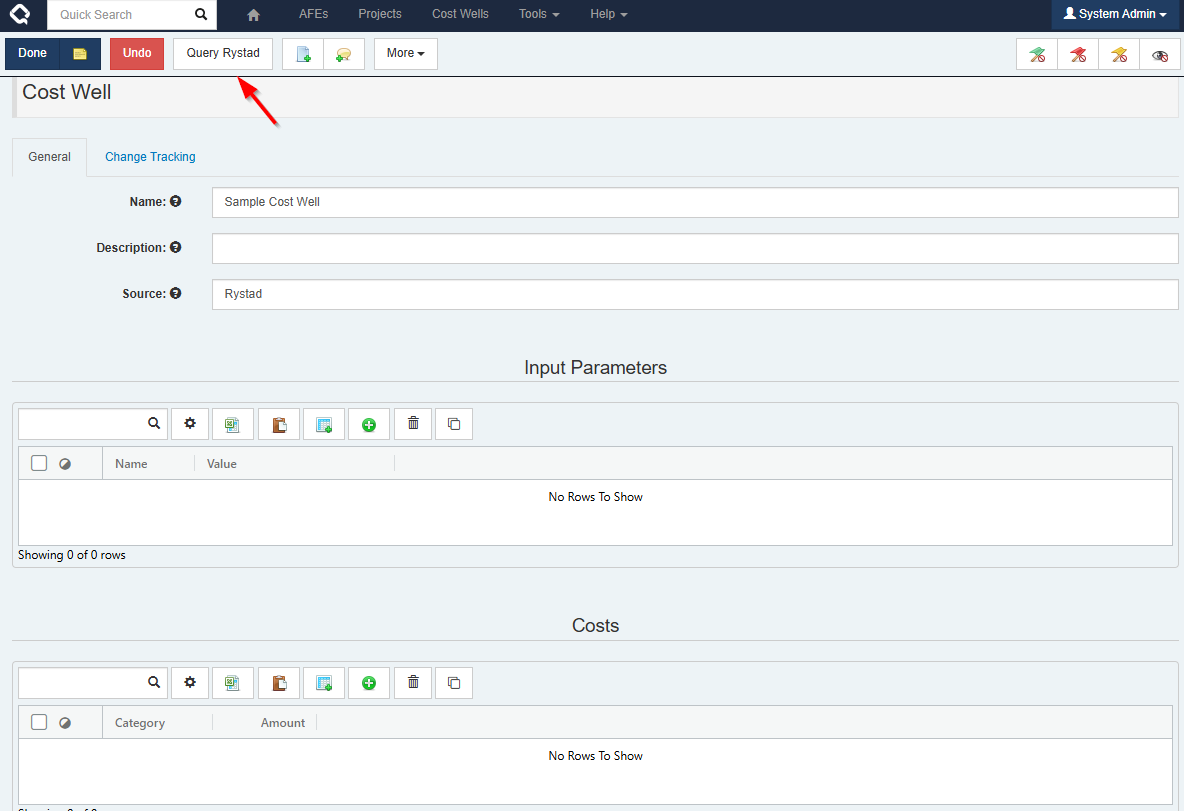
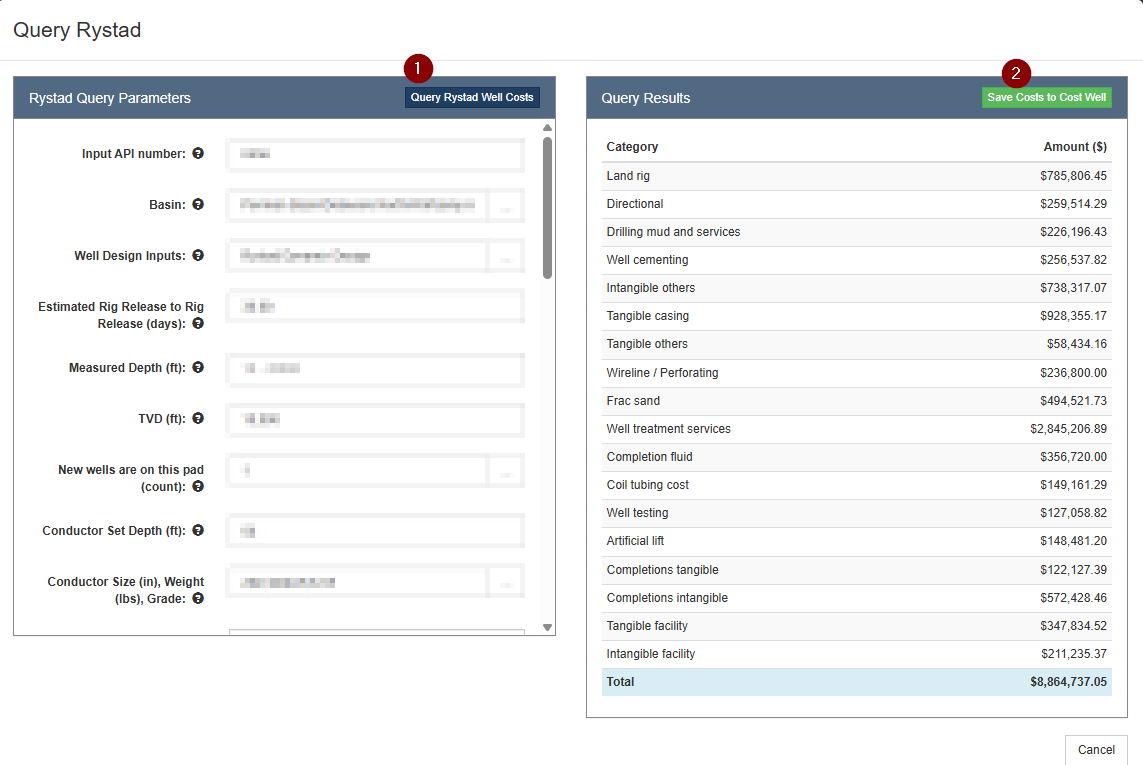
The input parameters used for the query and the resulting costs are written to tables on the Cost Well. The costs are organized in categories that we refer to as Cost Well Categories.
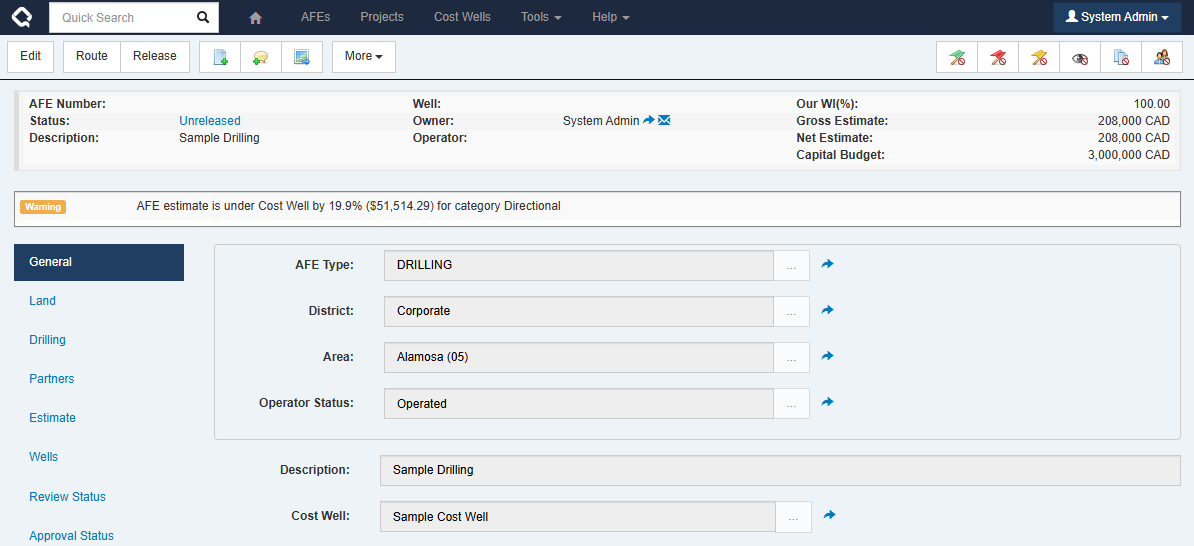
- For an AFE, the GL accounts are mapped to Cost Well Categories. Then, you can link a Cost Well to your AFE and validation messages appear if the AFE’s estimate is under or exceeds the costs in the Cost Well.
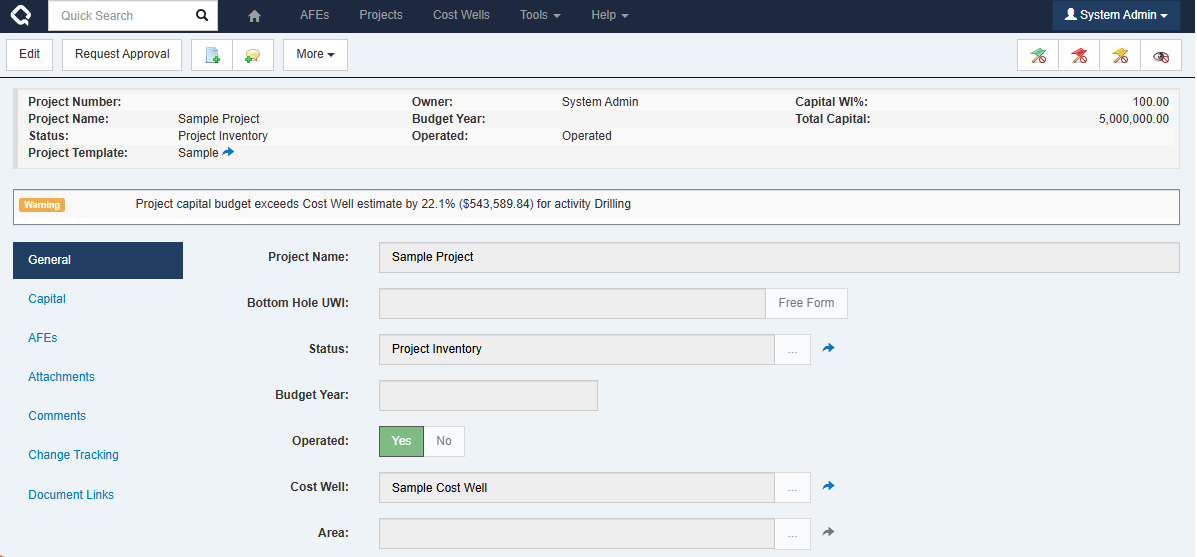
- For a Project, Cost Well Categories are mapped to project activity types. By linking a Cost Well to a Project, validation messages are displayed if your costs do not align with the mapped cost well category.
This doesn’t replace the current detailed estimation process that our customers use today. This isn’t authoring the estimate. The goal is context and confidence, not replacing engineering judgment.
Enhancements
- A sample plugin and xslt file for the integration with Quorum Cost Accounting has been added to the plugins repository. #integration #afe #plugins #357564
- A new alphabetical filter bar has been added to the Configuration page, making it easier for users to find specific configuration items. #ui #357589
Bugs
- Fixed an issue where some file attachments would fail to appear, due to a file being locked. A service restart would be required to bring them back and no errors were shown on the Attachments tab to indicate that there was a problem. Now an error message is displayed on the Attachments tab and further information regarding the locked file can be found in the server log or the support package. . #attachments #358257
- Resolved an error when generating a forms package per partner, when the forms are configured to print only for certain partners. #forms #353941
- Workflow diagrams will now generate if a task name in a sub-workflow, or the sub-workflow name, includes an ampersand (’&’). #workflow #ui #356452
- Field paths displayed on the Required Fields tab in the Discipline configuration page now include the slashes. #ui #349687
- Fixed an issue where the application’s built-in emails were failing. #email #358794
- Addressed a performance issue when loading Wells using the spreadsheet loaders. #well #loader #performance #356132